
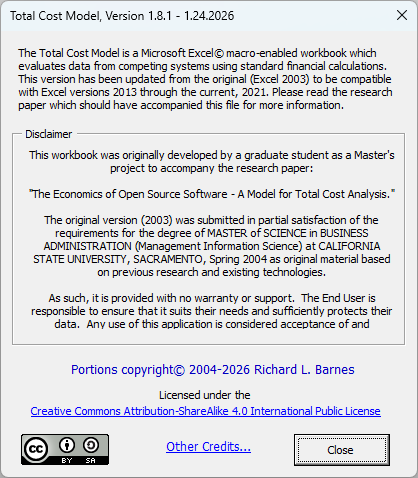
The Total Cost Model, my free Excel based Total Cost of Ownership analysis workbook, has received a little more love. Actually, though, only copyright updates and a few other date and grammar changes have been made. The workbook still does the same job; providing you with 10 critical financial metrics calculated from your data. The model’s main page explains it all.
A problem discovered…
While doing the usual perusal of both the workbook and it’s underlying VBA code, I noticed a problem. Some of the controls for entering data and a few labels were not working. In fact the workbook mostly crashed when trying to save and/or close it. At times it would not open without crashing.
I agonized over the inability to run my workbook based analytical model. It had worked before, and I had not done anything to it. It was perplexing. Then it came to me. The only problems were with the form controls which were embedded in the worksheets. Still, why they didn’t work was a wonder. After some snooping about I learned that newer versions of Excel have disabled ActiveX controls for various reasons.
Unblocking the ActiveX Controls
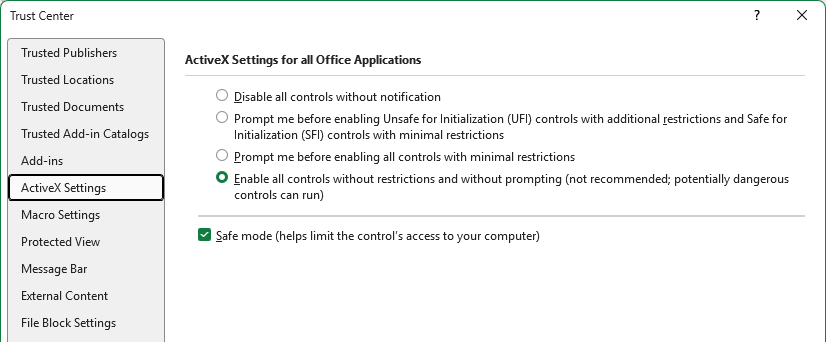
The solution is simple, if you are willing to “risk” it. To run the Total Cost Model you must enable all ActiveX controls to run. Microsoft adds the disclaimer (which is the “risk” part) “not recommended, potentially dangerous controls can run.” They also warn about enabling macros, but I have never had an issue. And you won’t have any problems from both the Total Cost Model and the BidSmart Estimator.
Adjust your Macro Settings and Unblock the Workbook file as Needed
How to enable the ActiveX controls is shown in the following screenshot. Go to Excels Options>>Trust Center>>ActiveX Settings menu to do this. Chose “Enable all controls without restrictions…“. Selecting Safe Mode will add another layer of security for you.
Of course, the macro settings will also have to be set to enable the VBA code to work. That is explained here. There is also some help in that post for downloaded files being blocked.
I know that there are some shady people in this world, but you would think that Microsoft would have a better plan then blocking the technology that they created.
Get it here
The Total Cost Model can be downloaded from it’s homepage (hosted on this site.) There is also a very good description of the tool and it’s capabilities there. Any questions or comments can be sent to me from the Contact page.